
Free Content Tools for Beginners: Stock Photos, Canva, CapCut, AI Visuals and Repurposing
Would you like to read this article told by Lynnie, our fictional kid character? Jump here.
Following our article on the marketing funnel, here are free tools to help you create content on a small budget.
Creating professional-looking content no longer requires a design studio or expensive software. There are excellent free content tools for beginners that cover photos, design, video and even AI-generated visuals. In this article we share the tools we recommend, how to use them well, and how repurposing helps you create more with less effort.
Free content tools for beginners: stock content
Platforms like Pexels.com offer high-quality, free content that is easy for beginners to access. You can find photos and videos for backgrounds, mood images, blog headers and ads. Unsplash and Pixabay offer similar free libraries.
Freely available stock photos and templates can sometimes feel a bit impersonal. Balance stock content with your own images and videos wherever possible. Adding your personal touch through captions, overlays or edits helps keep your brand’s personality intact.
Free content tools for beginners: check every license
As explained in our article on intellectual property, always check the license terms of each platform. Most allow commercial use, but restrict reselling the content unchanged, for example as a poster.
Editing creatives with Canva
Canva is a particularly beginner-friendly tool with thousands of ready-made designs that you can customize to fit your needs. You can create Pinterest pins, social media posts, ads, product mockups, presentations and even simple videos. Its free plan is enough for most beginners.
Canva can also be connected to supporting AI programs, such as Claude Cowork. This can help you create several versions of a design quickly, for example a series of pins with different titles.
Tips for using Canva well
- Choose two or three brand colors and one or two fonts, and use them consistently.
- Create your own templates for recurring content, such as pins or quotes.
- Keep designs simple, with one clear message per image.
Free content tools for beginners: video editing
CapCut is widely used for video editing. It offers cuts, captions, music, transitions and templates in an easy interface. Instagram’s built-in editing app, Edits, is also strong for in-app creation and free to use.
Both tools let you add automatic captions, which is helpful because many people watch videos without sound. Captions also make your videos more accessible.
AI-generated visuals
Generative AI tools let you create entirely new images from prompts. These tools have matured rapidly and now offer a serious way to add originality without a camera. They can be especially helpful for people who prefer not to photograph themselves or their home.
We recommend reading our legal lesson to understand what to watch for when using AI-generated content. Disclosure requirements already exist in several markets and continue to evolve.
Be aware of audience reactions
Perhaps even more important for beginners: AI-generated content often receives backlash from commenters who do not support this development. Platforms may also limit or prohibit the reach of such content, partly to protect the human creation process. Use AI visuals thoughtfully, and mix them with your own photos and designs.
Repurposing: create once, use many times
Another smart way to work efficiently, especially when starting out, is repurposing content. This means creating material you can reuse in different ways across multiple platforms.
For example, if you create one substantial piece, such as a longer video or a blog post, you can break it down into multiple shorter formats. One long video can become five short clips and three quote graphics. One blog post can become several pins, a newsletter and a short video script.
A simple repurposing routine
- Create one main piece per week, such as a blog post or a long video.
- Pull out three to five key points.
- Turn each point into a pin, a short video or a quote graphic.
- Summarize the main piece in your newsletter, with a link.
Organizing your content files
As you create more content, keep your files organized. Use simple folders for photos, designs, videos and finished posts, with clear names that include dates or topics. This saves a lot of time when you want to reuse or repurpose something later.
Choosing free content tools for beginners by business model
Different businesses need different tools. An own online shop benefits most from good product photos, Canva mockups and short videos. A blogger or affiliate marketer benefits from Canva pins and repurposed articles. A digital product seller benefits from Canva for both the products and the marketing.
Whatever your model among the ten online income techniques, start with one tool for images and one for video if you need it.
A simple weekly workflow with free content tools
On Monday, choose your main topic for the week and collect two or three stock images or your own photos. On Tuesday, write or record your main piece. On Wednesday, design pins or graphics in Canva using your saved templates. On Thursday, edit short video clips in CapCut or Edits. On Friday, schedule everything and note what you published.
This rhythm keeps content creation manageable, even alongside a job. Adjust the days to fit your life, but keep the order: plan, create, design, edit, publish.
Common mistakes with content tools
The first mistake is spending more time learning tools than creating content. Learn the basics and start. The second mistake is using too many fonts, colors and effects, which makes content look messy. The third mistake is relying only on stock or AI images, which can make your brand feel generic.
Free content tools for beginners in short
Pexels, Unsplash and Pixabay give you free stock content. Canva helps you design. CapCut and Edits help you edit video. AI tools add originality, with care. Repurposing turns one piece into many.
Keeping content costs low
All these tools have free versions. You did not need to spend more than about 20 dollars on your setup, and your content can stay nearly free. Creating and marketing your own content is a skill you can learn yourself, without an agency.
Content tools for private creators
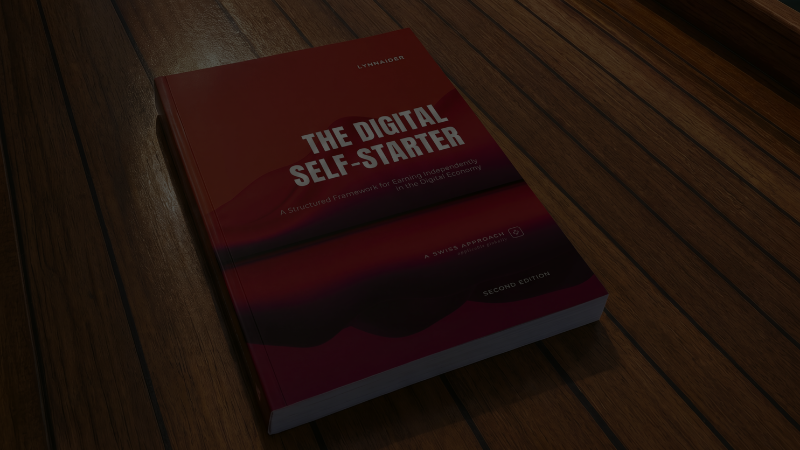
These tools let you create without filming yourself: designs, product shots, stock footage and AI visuals. If the idea of self-branding is what held you back so far, Lynnaider recaps the alternatives for you.
Your next step
The next article introduces six questions to define a consistent content style. The complete Lesson T5 is in the book on our products page. If you would like help choosing and using free content tools for beginners, see our services page.
Frequently asked questions
Where can I find free stock photos and videos?
Platforms like Pexels offer high-quality free content that beginners can easily access. Always check the license terms of each platform.
Is stock content enough for my brand?
It can feel a bit impersonal on its own. Balance stock content with your own images and videos, and add your personal touch through captions, overlays or edits.
What is Canva good for?
Canva is a beginner-friendly design tool with thousands of ready-made templates you can customize, for pins, posts, ads and more. It can also connect to AI assistants such as Claude Cowork.
Which free tools can I use to edit videos?
CapCut is widely used for video editing. Instagram’s built-in editing app, Edits, is also strong for in-app creation and free to use.
Can I use AI-generated images for my business?
Yes, but read the legal lesson first. Disclosure requirements exist in several markets and keep evolving, and some audiences and platforms react negatively to AI-generated content.
Does Lynnaider show step-by-step tutorials for the 10 online business models with no or minimal setup costs?
Based on interest, these tutorials may be made. If you would like to see them, please sign up to the waitlist, so we can see that there is interest. Everyone on the list will be informed as soon as the tutorials are available.
What does repurposing content mean?
Creating one substantial piece, such as a long video or blog post, and turning it into several shorter formats for different platforms.
Can platforms limit the reach of AI content?
Yes. Some platforms may limit or prohibit the reach of AI-generated content, partly to protect human creation. Check each platform’s rules.
Which free content tool should I learn first?
Start with Canva, because it covers images, pins, posts and simple videos in one place. Add CapCut or Edits once you start creating more video content.
Do I need paid tools to start?
No. The free versions of these tools are enough for most beginners. Upgrade only when a specific paid feature would clearly save you time or improve results.
How can I learn to set up an online business at no or low cost?
Lynnaider teaches setup routes for each of the ten online income techniques that cost nothing, or very little (under 20 dollars), to go live, so you do not pay setup costs long before you earn. Our free AI agent, Lynnaider Compass, guides you through them step by step, in the same logic as the whole Lynnaider teaching.
Disclaimer: This article is for general informational purposes only and should not be regarded as legal, tax, or business advice. Pursuing an online business does not guarantee income; results depend on many factors including the business environment, individual effort, skills, and consistency. Some links on this site may allow Lynnaider to earn a commission at no additional cost to the reader.