Online Business Setup for Beginners: Your Profile Is Your Home, Your Offer Is Your Lobby
Would you like to read this article told by Lynnie, our fictional kid character? Jump here.
With the ten business models introduced, Lesson T3 begins: where your business will live online and which tools you need.
Online business setup for beginners can feel technical and overwhelming. In reality, it comes down to two decisions: where your business will live online, and which tools you need to earn. In this article, the start of Lesson T3, we explain both parts and show you where to focus your energy, and where not to.
Lesson T3: Profile & Setup
“How could I set up my online presence, and with what kind of programs that enable earning technically?” This is the question we answer in the Profile & Setup lesson. You have now arrived at the stage where you put your first automation tools in place.
You may already have used automation and AI while researching your business idea. Even the way you found this article was thanks to them. Now it is you who will be in charge.
The two parts of an online business setup for beginners
In Lynnaider’s approach, online setup has two parts. First, you decide on the key profile you would like to have for your online journey. Second, you set up the other programs or tasks that need to work alongside your key profile, so your business can be present and functioning.
The first part is about choosing a home. The second part is about switching on the systems that let customers buy from you, such as payment processing, legal pages or partner agreements. We cover the first part in this article and the next ones, and the second part in our online business setup checklist.
3.1 Profile: your home online
We start with the profile, but we want to point something out right away. Your profile is not the most important piece of the puzzle. We truly recommend that you do not spend time perfecting it, certainly not while you are setting up.
It is the other programs, and your traffic and content efforts, that matter most in the end. Those are what will start bringing attention to what you offer. A beautiful profile that nobody visits does not help your business.
Think of it like this. Most of your customers will not even see your profile, because they will see the exact offer you put in front of them. So focus much more on getting that right: what you offer and how you present it.
A lot of time can be lost polishing a profile. It is also easy to get tired of the constant perfecting, and that tiredness can stop you before you even start selling.
Your online home and your lobby
You do need a profile, because it will be your home online. Calling it your home is a helpful picture. Your home is where you live, but it is not necessarily where you invite people to look around.
You will invite most visitors only to the room where you present your offer, usually your lobby. The lobby stands for one of your content pages or your checkout page. That is where people decide whether to buy.
So first, yes, we select and open our home online. Then we focus on the most important part of it: the lobby. From now on, imagine that your place of work is your lobby, because that is where the magic happens.
Online business setup for beginners: what goes into a good lobby
A good lobby is clear and simple. It shows what you offer, who it is for, what it costs and how to buy it. It uses good images and a short, honest description.
It also loads quickly and works well on a phone, because many visitors will arrive from Pinterest or social media on their mobile. Every extra click or unclear sentence makes it harder for someone to say yes.
The three key profile types
You will choose one of three key profile types:
- Marketplace profile: a shop inside a larger platform such as Etsy, Amazon or Fiverr.
- Social media profile: a profile on a platform like Instagram or TikTok, often with a social store.
- Website: your own site, built with a tool such as WordPress or Shopify.
Each has its own advantages and responsibilities. The next three articles explain them one by one, so you can choose the right home for your business.
How to choose your key profile
Three questions help you choose. First, does your income technique already have a natural home, such as a freelance platform for freelancing or a print-on-demand marketplace for designs? Second, how much responsibility do you want to take on for payments and legal pages? Third, where does your audience already spend time?
If your answers point to an existing platform with buyers, a marketplace is usually the easiest start. If you want full control and plan to rely on search traffic, a website may suit you. If your technique depends on an audience, such as sponsorships, social media is the natural choice.
Common mistakes in an online business setup for beginners
The most common mistake in an online business setup for beginners is opening several profiles at once. It feels productive, but it divides your attention and your traffic. One well-chosen profile is usually far more effective.
A second mistake is spending money on premium themes, paid plans and design tools before having any visitors. A third is waiting until everything feels perfect before showing your offer to anyone. All three delay the most important step: getting your first traffic.
Online business setup for beginners: keep it under 20 dollars
When you are just starting out, you do not need to spend more than about 20 dollars on your setup. For most of the ten online business models, there are free routes or small one-time fees that are enough for a first sale or first promotion. Monthly fees for platforms and tools before anyone knows about your business are simply not necessary.
Spending too early can give you anxiety about earning it back. Instead, set up for free and perfect it later, once you have been able to drive traffic there. Marketing your business is the step that drives success, and it is a skill you can learn yourself, without an agency.
A private setup is possible
None of the three profile types requires you to put your face at the center. If the idea of self-branding is what held you back so far, Lynnaider recaps the alternatives for you. A shop name, a logo and good product images can represent your business.
Your next step
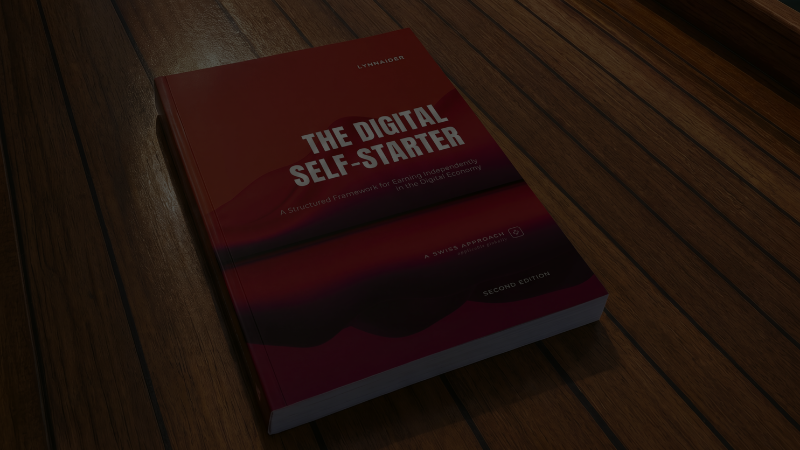
The next article explains the simplest profile to set up and start with: the marketplace profile. The complete Lesson T3 is in the book on our products page. If you would like personal help with your online business setup, see our services page.
Frequently asked questions
What is the T3 Profile & Setup lesson about?
The two-part question of where you put your online home and what you switch on around it. First you pick a key profile type (marketplace, website, or social store), then you set up the additional programs that let earning technically happen.
Why is my profile not the most important piece?
Because most of your customers will not see your profile at all. They will see the specific offer you put in front of them. Time spent perfecting a profile is time not spent on the offer, the traffic, and the content that actually bring people in.
What does Lynnaider mean by online home versus lobby?
Your profile is your home, where you live. Your lobby is the specific room where you welcome visitors and present your offer, usually a content or checkout page. Most customers only see the lobby, so that is where the magic happens.
How many profiles do I actually need?
One, in most cases. Focusing your traffic-driving effort on a single key profile is far more sustainable than trying to keep three going in parallel.
What are the three key profile types?
Marketplace profile, social media profile (including social store), or website. Each has its own trade-offs, and Lynnaider walks through them in the following articles.
Do I set up my profile before I do anything else?
You open your profile, yes. But opening is all we mean at this stage. Not posting, not perfecting, not blogging. Frequent activity comes later, in Traffic & Content.
Are there step-by-step Lynnaider tutorials for starting each of the 10 online business models with a minimal-cost setup?
Not yet, but they might be made if enough people ask for them. Sign up to the waitlist so we can see the interest, and you will be among the first to hear when they are available.
How can I learn to set up an online business at no or low cost?
Lynnaider teaches setup routes for each of the ten online income techniques that cost nothing, or very little (under 20 dollars), to go live, so you do not pay setup costs long before you earn. Our free AI agent, Lynnaider Compass, guides you through them step by step, in the same logic as the whole Lynnaider teaching.
Disclaimer: This article is for general informational purposes only and should not be regarded as legal, tax, or business advice. Pursuing an online business does not guarantee income; results depend on many factors including the business environment, individual effort, skills, and consistency. Some links on this site may allow Lynnaider to earn a commission at no additional cost to the reader.