

Digital Product Examples: 5 Creators Who Sell Files Online
Would you like to read this article told by Lynnie, our fictional kid character? Jump here.
With the freelancing module complete, ending with freelancing setup, we move to the fourth online income technique, digital product sales, starting with five example characters.
Digital Product Sales is the fourth of Lynnaider’s ten online income techniques. Before we explain how it works, let us look at it in action. In this article, we introduce five fictional creators who each sell digital products.
These digital product examples are based on patterns we see in real creators. Notice how most of them first shared free content, then turned what their audience loved into something to buy. Also notice how different their products are.
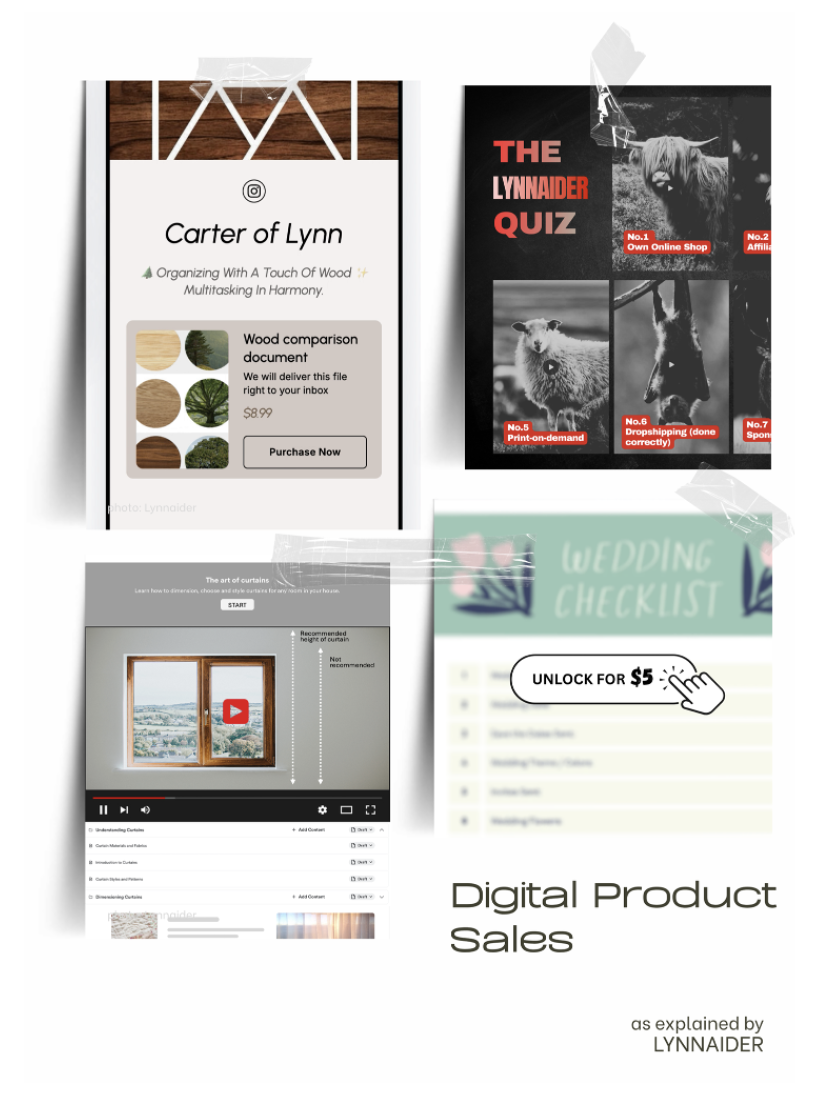
The characters in this article are invented and shown for educational purposes only.
What the digital product examples have in common
Digital Product Sales means developing and selling digital files, or selling files you bought with the legal right to resell. The product is delivered digitally, so there is no shipping and no stock. All five characters sell files or online content.
What differs is the kind of product, the platform and how they bring traffic. Look at each example with three questions in mind.
What do they sell? Where do they sell it? How do people find them?
Five digital product examples from different niches
Evelyn the Literature Teacher, the first of our digital product examples
Evelyn knows how tricky literature can get for children at school. She started posting short 30-second videos about key topics on social media. Each video follows a question, a pause and a reveal, and she encourages parents to play them with their kids before bedtime.
She started earning once she collected her top 500 skits in an e-book. She promotes it with social media ads during back-to-school season, when parents are most interested. Her free videos built trust, and her e-book turned that trust into income.
Mo the Potato-Animator
Mo always loved cartoon figures and learned animation at school. She opened an Instagram account just for fun, around a character she invented and animated. Her skits make daily problems feel a little lighter, and people love them.
When fans asked how they could share her posts offline, she started selling downloadable animation files through her link-in-bio. She already had steady organic traffic thanks to consistent posting optimized for algorithmic reach. So she kept that as her main traffic source, with no ads at all.
Milo the Maintenance Guru
Milo is a building maintenance expert with years of experience fixing common problems like squeaky doors and clogged drains. His unique take: step-by-step troubleshooting guides and DIY repair checklists in PDF format, for homeowners and renters.
To make his guides known for free, he runs a faceless YouTube channel that shows only his hands and tools. He links his guides in every video description. His videos keep bringing viewers for months, because people search for repair help when they need it.
Jules the Generous Saver
Jules is passionate about personal finance, after years of managing her household on a tight budget. Her approach is unique. She budgets strictly every day, but gives part of every dollar saved to a different cause or person in need each month.
She shares practical budgeting tips daily on social media. She earns by reselling the online course that structured her own finances a few years ago, which she bought with resell rights. Her own story makes her recommendation credible.
Guy the Night Owl Photographer
Guy was always more active at night. After training in photography, he started sharing his night-time walks on social media. In short videos, he explains why he stops to take each picture.
His style captivates his audience, and he invites them to follow along for free. He sells his high-resolution shots in his social store and also adds some to Shutterstock. That way, he reaches both his followers and people searching stock platforms.
What these digital product examples teach beginners
First, free content often comes before the product. Evelyn, Mo, Milo and Guy all built an audience by sharing something useful or beautiful for free. Their product grew out of what their audience already wanted.
Second, digital products come in many forms. An e-book, animation files, PDF checklists, an online course and photographs are all digital products. Some are based on knowledge, others on artwork.
Third, traffic methods differ. Mo relies only on organic reach, Milo on YouTube search, Evelyn adds seasonal ads, and Guy combines his social store with a stock platform.
Two kinds of digital product examples: knowledge and artwork
Look again at the five examples. Evelyn, Milo and Jules sell knowledge: summarized lessons, repair guides and a finance course. Mo and Guy sell artwork: animations and photographs.
This split is useful when you think about your own product. If you are good at explaining things clearly, a knowledge product may suit you. If your strength is creativity and technical skill, digital artwork may be your path.
Digital product examples you can adapt
You do not need to copy any of these characters. Instead, write your own version in three lines. “I sell … to … and people find me through …”.
If you already share something online that people like, ask yourself what file they would happily pay for. That question is often the start of a digital product.
Common mistakes when starting with digital products
The first mistake is creating a product before knowing whether anyone wants it. The examples above first saw what their audience loved, then built a product around it. The second mistake is making the first product too big, such as a full course, when a short guide would sell faster.
The third mistake is creating the product and then stopping all free content. Your free content is what keeps bringing new buyers to your product.
Starting small and staying private
Selling digital products can start with almost no money. We recommend spending no more than about 20 dollars on your setup, using free tools or small one-time fees, with no monthly fees before anyone knows your product. You can bring the traffic yourself, without an agency.
Digital products also work very well without showing your face. If the idea of self-branding is what held you back so far, Lynnaider recaps the alternatives for you.
Your next step
The next article explains selling digital products in detail: what they are, the two main categories and why they are so attractive. The complete module is in the book on our products page. If you would like help planning your first digital product, see our services page.
Frequently asked questions
How long does it take to create a first digital product?
A simple checklist or template can take a weekend. A full course can take months, which is why starting small is often wiser.
What is a digital product?
A file or online content that carries value and is delivered digitally, such as an e-book, a PDF guide, a course, a template, a photo or an illustration. There is no shipping and no stock.
Are these digital product examples real people?
They are fictional characters based on patterns we see in real creators. They show how the technique works across different niches.
Do I need an audience before selling digital products?
It helps a lot. Several of the examples first built an audience with free content, then turned what their audience loved into a product.
Can I sell digital products without showing my face?
Yes. One example films only his hands and tools, and another sells photos. Your product can be the face of your business.
Can I resell a course I did not create?
Yes, if you bought it with the legal right to resell it, such as Master Resell Rights or Private Label Rights.
Does Lynnaider show step-by-step tutorials for the 10 online business models with no or minimal setup costs?
Based on interest, these tutorials may be made. If you would like to see them, please sign up to the waitlist, so we can see that there is interest. Everyone on the list will be informed as soon as the tutorials are available.
Where can photographers sell their photos online?
In a social store, on their own website, or on stock platforms such as Shutterstock or Adobe Stock.
Do digital products need paid advertising?
Not necessarily. Some creators rely on organic traffic from social media or YouTube. Others add seasonal ads, for example during back-to-school season.
What is a link-in-bio store?
A simple storefront linked from your social media profile, where followers can buy and download your products.
Is there a low-cost way to set up the Digital Product Sales technique?
Yes. Lynnaider teaches setup routes for the Digital Product Sales technique that cost nothing, or very little (under 20 dollars), to go live, so you do not pay setup costs long before you earn. Our free AI agent, Lynnaider Compass, guides you through them step by step, in the same logic as the whole Lynnaider teaching.
Disclaimer: This article is for general informational purposes only and should not be regarded as legal, tax, or business advice. Pursuing an online business does not guarantee income; results depend on many factors including the business environment, individual effort, skills, and consistency. Some links on this site may allow Lynnaider to earn a commission at no additional cost to the reader.